minimum gps accuracy
Minimum GPS Accuracy for Clock-Ins: What to Set and Why
What minimum GPS accuracy should a field clock-in require? Learn realistic phone accuracy, why indoor drift happens, and how to fix bad readings.
What minimum GPS accuracy should a field clock-in require? Learn realistic phone accuracy, why indoor drift happens, and how to fix bad readings.
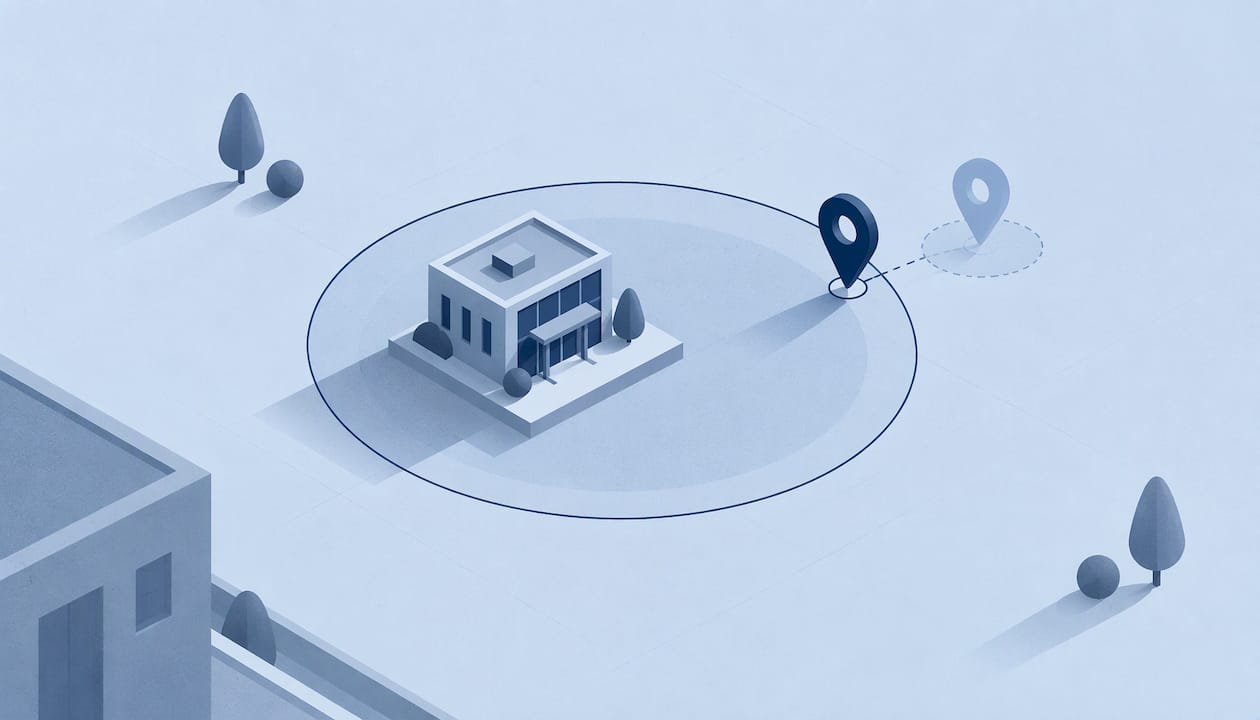
For a field clock-in, the minimum GPS accuracy is the largest error radius you will accept before a punch counts as verified. Under open sky a smartphone is typically accurate to about 16 feet (4.9 m), so a workable rule is to match the accuracy you require to the size of your job-site boundary. A tight threshold on a wide geofence rejects honest punches. A loose one on a small site lets bad readings through.
This guide explains what “accuracy” means on a phone, what number is reasonable for time tracking, why GPS drifts or fails indoors, and what workers and managers can do about it.
When a phone reports a location, it also reports how sure it is. That estimate is an accuracy radius: the phone says it is somewhere inside a circle of a given size around the dot on the map. “Minimum accuracy” in a time-tracking setting is the cutoff. If the radius reported at the moment of the punch is bigger than the cutoff, the punch is flagged, retried or rejected.
Two things are easy to confuse here:
The cutoff only makes sense next to the geofence. A phone that says “within 30 meters” is excellent for a 150-meter yard and useless for a 20-meter gate check.
The U.S. government’s GPS program states that smartphones are typically accurate within a 4.9 m (16 ft.) radius under open sky, and that accuracy worsens near buildings, bridges and trees. The same page explains that results depend on satellite geometry, signal blockage, atmospheric conditions and the quality of the receiver design.
That is the best case. Most field work is not done in a field. It happens beside warehouses, under overpasses, in parking structures and on dense city blocks. The reading you get depends on where the worker is standing at the moment of the tap.
A useful way to think about it:
| Setting | What to expect | What it means for a clock-in |
|---|---|---|
| Open sky, no obstructions | Around 16 ft (4.9 m) typical for a smartphone | Very reliable for any geofence of 50 m or more |
| Next to tall buildings, bridges or tree cover | Noticeably worse, with reflections and blocked signals | Usually fine for a wide geofence, risky for a small one |
| Inside a building or underground | GPS may be weak or lost, phone falls back on other signals | Expect larger errors or a position that lags behind |
The first row is a published figure. The other two are directional: the source confirms accuracy gets worse, and the size of the error varies by site, phone and moment.
There is no single legal or industry-standard number for a clock-in. What follows is a practical rule of thumb, not a regulation.
Start from the geofence, not from the phone. If you have drawn a 100-meter boundary around a job site, a reading that is certain to within a few dozen meters is more than enough to say whether someone is on site. Requiring pinpoint accuracy on a boundary that wide only creates failed punches.
Leave room for the edge. A worker standing near the boundary can be inside the zone, but the phone’s uncertainty circle can reach outside it. The smaller the accuracy radius relative to the geofence, the fewer edge cases you have to review.
Match the threshold to the work.
Our own guidance on boundary size is covered in 50 to 150 m geofences for field teams, which also explains how randomized check-ins make the record audit-ready. If you want the bigger picture of how a boundary and a GPS reading work together, read GPS vs geofencing.
GPS drift is the difference between where you actually are and where the receiver says you are. Garmin’s support team explains that consumer receivers are not 100% accurate, so a device recording every few seconds can appear to move while standing still.
For a clock-in, drift matters in one specific way: the dot can land a short distance from where the worker really is. If the site is small, that is the difference between “on site” and “just outside.”
The GPS program lists the usual causes of degraded accuracy: signal blockage from buildings, bridges and trees, indoor or underground use, and multipath from signals bouncing off walls. Less commonly, radio interference and major solar storms play a part. Multipath is the one workers rarely hear about. A signal that reflects off a building arrives late, and the receiver treats the delay as extra distance.

Satellite signals are weak by the time they reach the ground. Walls, roofs and metal structures block them. California’s Division of Occupational Safety and Health notes that accuracy depends on how many satellites are visible and that walls, vehicle roofs, tall buildings and mountains can block signals. When that happens, the phone uses Wi-Fi networks or Bluetooth devices to estimate position until satellites are visible again.
So a phone that “lost GPS” has not necessarily lost its location. It switches to other methods. These are usually coarser. Some of the common results:
Gabb’s help center describes the same pattern: indoors or with an obstructed view, a device may estimate location from nearby cell towers, which causes drift. It adds that this is normal and typically resolves when the device reconnects to satellites. After a clear view of the sky, the location will attempt to update within 15 minutes.
That last point matters for clock-ins. A worker who walks out of a warehouse and taps immediately may get a stale reading. A short pause outside often fixes it.
Most “GPS not working” reports are settings, not hardware. Ask workers to check these in order. The list follows common troubleshooting steps in Bringg’s developer documentation, which covers restarting, toggling location off and on, allowing the app to use location (including in the background), disabling battery saver and setting location to High Accuracy.
Put these seven steps in your onboarding sheet. They resolve most first-week support questions.
A punch that looks off is not proof of fraud, and a punch that looks perfect is not proof of presence. Use a short checklist before you act on a flagged entry.
Drift and deliberate spoofing are different problems. Drift is a natural error: the dot is close but not exact. Spoofing is an attempt to fake a place entirely. If that second case worries you, our article on fake GPS detection explains the on-device and server checks that catch it. For the manager’s side of the process, see field employee location verification.

A stricter accuracy requirement does not need constant tracking. Pulling a continuous stream of locations from a worker’s phone costs battery, creates a pile of data to protect and raises privacy questions. A single verified location at the moment of the clock-in answers the question you actually have: was this person at the right place when they punched?
We cover the legal side in employee GPS privacy and the compliance side in GPS-verified clock-in for managers. For a broader view of what location checks can and cannot do, read GPS time tracking benefits for field managers.
Our perspective on accuracy
We think the question “what is the minimum GPS accuracy?” is the wrong place to start. The better question is: what does a manager need to be able to say about a punch? Usually it is three things: the person was who they said they were, they were at the right place, and the record has not been altered.
That is why Clock-Me pairs GPS-verified clock-ins with identity checks and geofencing, instead of relying on location alone. A good location reading with no identity check still allows buddy punching. A strong identity check with no location is just a selfie. Together they make a punch that holds up.
We also believe field teams should not be tracked all day to prove they showed up. Our approach is built around verified events and random location check-ins, not continuous background tracking. It keeps phones usable, keeps data collection small and keeps the process simple for workers: one tap.
When the phone is unsure, the answer should be simple too. Step outside, tap again, and move on with the shift.
Clock-me
Clock-Me is a workforce management platform for teams in the field. It combines GPS-verified clock-ins, identity verification, geofencing, random location check-ins and live dashboards, with timesheet approval, timecard attestation, payroll export and features built to support California labor law compliance.
You can start on the Free plan at $0 per month. Paid plans are priced by the number of active employees: Starter is $31.99 per month, Growth is $54.99, Business is $99.99, Pro is $224.99 and Corporate is $439.99. Enterprise pricing is not published. See every plan on the Clock-Me plans page, or learn more at clock-me.com.
Use this when you roll out GPS clock-ins to a new crew:
That last point is the one managers skip. If one site generates most of your failed punches, the site is the issue. Fix the boundary, not the standard.
More on how boundaries work is in our geofencing articles and GPS time tracking articles.
There is no official number, so base it on your geofence. Smartphones are typically accurate to about 16 feet (4.9 m) in open sky, according to the GPS program. For a boundary of 50 to 150 meters, a reading well inside that range is more than enough to place someone on site.
Walls, roofs and metal structures block or weaken satellite signals. The phone then falls back on Wi-Fi or Bluetooth to estimate position, which is usually less precise. Stepping outside for a moment and tapping again typically solves it.
Yes. Consumer receivers are not perfectly accurate, so a stationary phone can appear to wander. It usually clears up when the phone reconnects with satellites, and a fresh reading after a clear view of the sky generally corrects it.
Allow the app to use location (including in the background), set location to High Accuracy and turn off battery saver. Bringg’s documentation also lists restarting the phone and toggling location off and on.
No. One verified location at the moment of the punch, plus occasional random check-ins, answers whether someone was on site. It also keeps data collection and battery use low.