timecard approval workflow
Stop Payroll Errors: 6 Step Timecard Approval Workflow for Admins
Use a 6 step admin checklist to run a timecard approval workflow that locks periods, enforces fallback approvers, and reduces field exceptions.
Use a 6 step admin checklist to run a timecard approval workflow that locks periods, enforces fallback approvers, and reduces field exceptions.

A timecard approval workflow is the structured sequence that checks and authorizes time entries before they hit payroll or client invoices. The right default for most teams: approve at the card level, reserve entry-level review for high-risk lines like overtime, and always pair approvals with locked periods and a fallback approver. Systems from SAP SuccessFactors to similar workforce management solutions build on this same logic.
TL;DR:
- Most approval systems trigger review based on specific events, such as period end or anomaly detection, rather than manual submission alone.
- Card-level approval is faster and suitable for most cases, while entry-level review should be reserved for high-risk scenarios like overtime or disputed shifts.
- Lock periods immediately after approval and establish fallback routing to prevent payroll delays caused by missing approvers or vacant roles.
- Verified GPS clock-ins and identity checks significantly reduce exceptions, enabling more cards to be approved at the card level with fewer manual reviews.
- Configuring a matching approval period to payroll dates and establishing clear notification and fallback rules are essential to prevent overlooked approvals and payroll errors.
Submitted time and approved time are not the same thing, and treating them as interchangeable is where most payroll errors start. A worker’s submission is just a request for sign off; it becomes payroll data only after a manager or a defined rule authorizes it. That distinction is the whole point of building a formal approval workflow instead of trusting an honor system.
Most systems trigger the process one of four ways: a manual submit action by the employee, an automatic trigger at period close, a validation rule catching an anomaly (like a shift over 12 hours), or an entry-level flag on a specific line item. Once triggered, the record moves through a predictable set of stages:
When a manager misses the deadline, calendar-based auto-approval through a designated processing user keeps payroll on schedule instead of stalling on one absent signature.
Card-level approval means a manager signs off on the whole timesheet for the period at once, usually weekly or biweekly. Entry-level (or record-level) approval means each individual time entry gets its own review, common on client-billed projects where every line needs a defensible paper trail.
The trade-off comes down to workload versus documentation depth:
Pro Tip: Turn on entry-level approval only for the specific rule that needs it, like overtime over 8 hours in a day. Applying it across the board turns every approval cycle into a line-by-line audit and burns out your managers fast.
Building the workflow correctly the first time saves you from chasing missing approvals later. Follow these steps in order:
Skip any one of these and you end up with a workflow that technically exists but doesn’t actually protect payroll accuracy.
A workflow that approves cards but never locks them isn’t really an approval workflow. It’s a suggestion. Locking or closing the period immediately after approval prevents retroactive edits that can quietly undermine payroll accuracy after the run has already happened.
A few non-negotiables worth building in from day one:
Approvals aren’t paperwork. They’re the accountability checkpoint that turns a worker’s time entry into a record payroll and billing can actually rely on.
Most of your time in the system will be spent in one screen: the approvals dashboard. A well-built one gives you filters by date range, employee, and status (Waiting for approval, Approved, Rejected) so you’re not scrolling through every card in the company.
Bulk actions matter here, but they cut both ways:
Field teams break approval workflows in predictable ways: missed punches, disputed locations, and managers guessing whether a submitted hour is real. Verified GPS clock-ins and identity checks cut down on the exceptions that would otherwise need entry-level review, which means more cards clear at the card level instead of getting stuck in manual scrutiny.
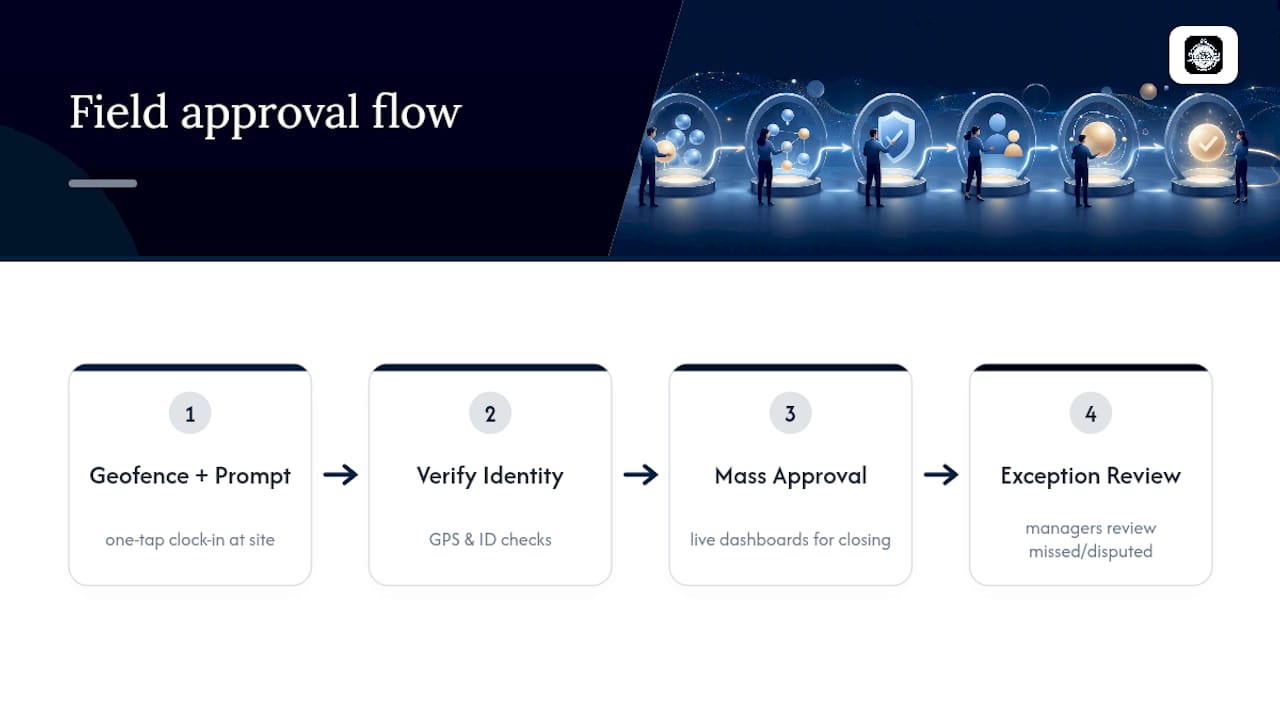
Geofencing and a one-tap clock-in reduce the missing-punch problem at the source, since employees can’t forget to log a shift if the app prompts them at the job site. Combine that with live dashboards built for mass approval and period closing, and managers spend less time chasing down what happened and more time actually reviewing exceptions that deserve their attention. The workflow logic stays the same as any enterprise HR platform. The friction just drops.
The conventional advice on timecard approvals treats every entry like it needs the same level of scrutiny. It doesn’t. Most of your workforce clocks in, works a normal shift, and clocks out with nothing unusual to flag. Forcing entry-level review on that population wastes manager time and trains people to rubber-stamp approvals instead of actually reading them.
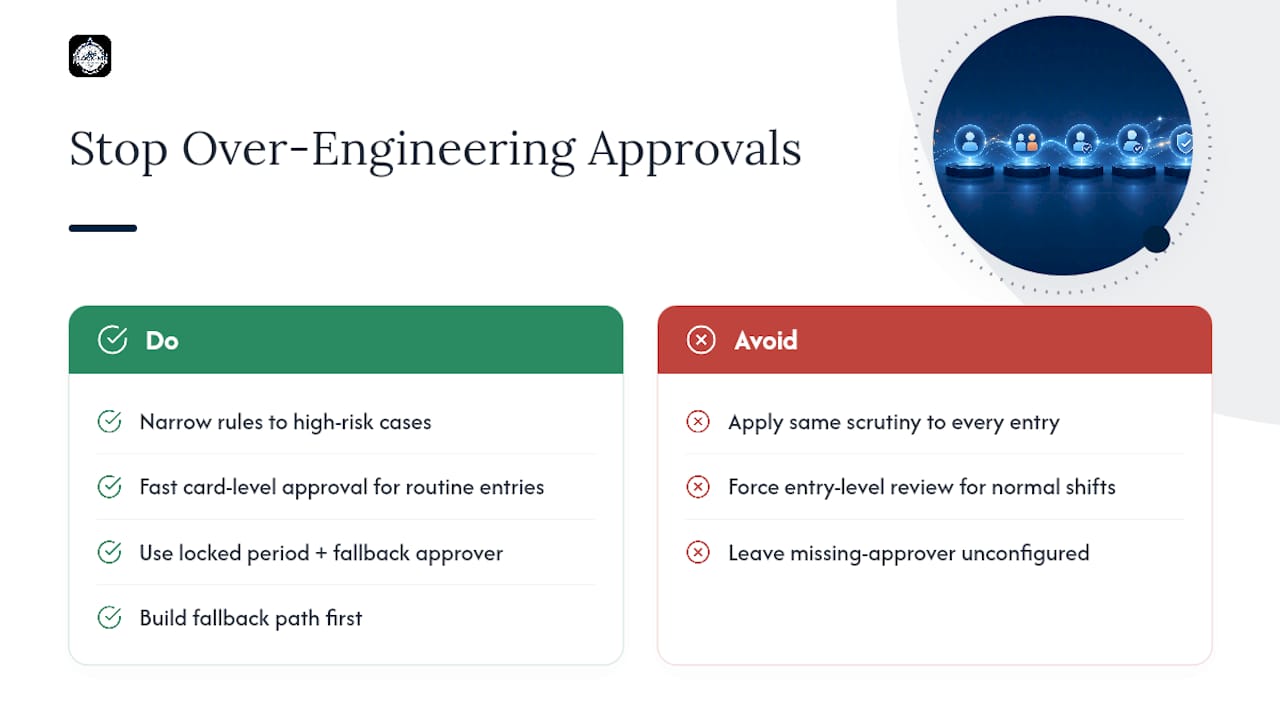
The real leverage is in narrowing your entry-level rules to the handful of scenarios that genuinely carry risk: overtime, split shifts, disputed locations. Everything else should move through card-level approval fast, with a locked period and a fallback approver doing the heavy lifting in the background.
Where most setups fail isn’t the approval logic. It’s the missing-approver scenario nobody configures until it actually happens and payroll is stuck. Build that fallback path first, before you touch anything else.
— Clock-me
Clock-me replaces guesswork with proof. Instead of approving a timecard based on trust alone, you’re approving one backed by verified GPS clock-ins, identity checks, and geofenced job sites, so the exceptions that used to eat your review time simply happen less often.
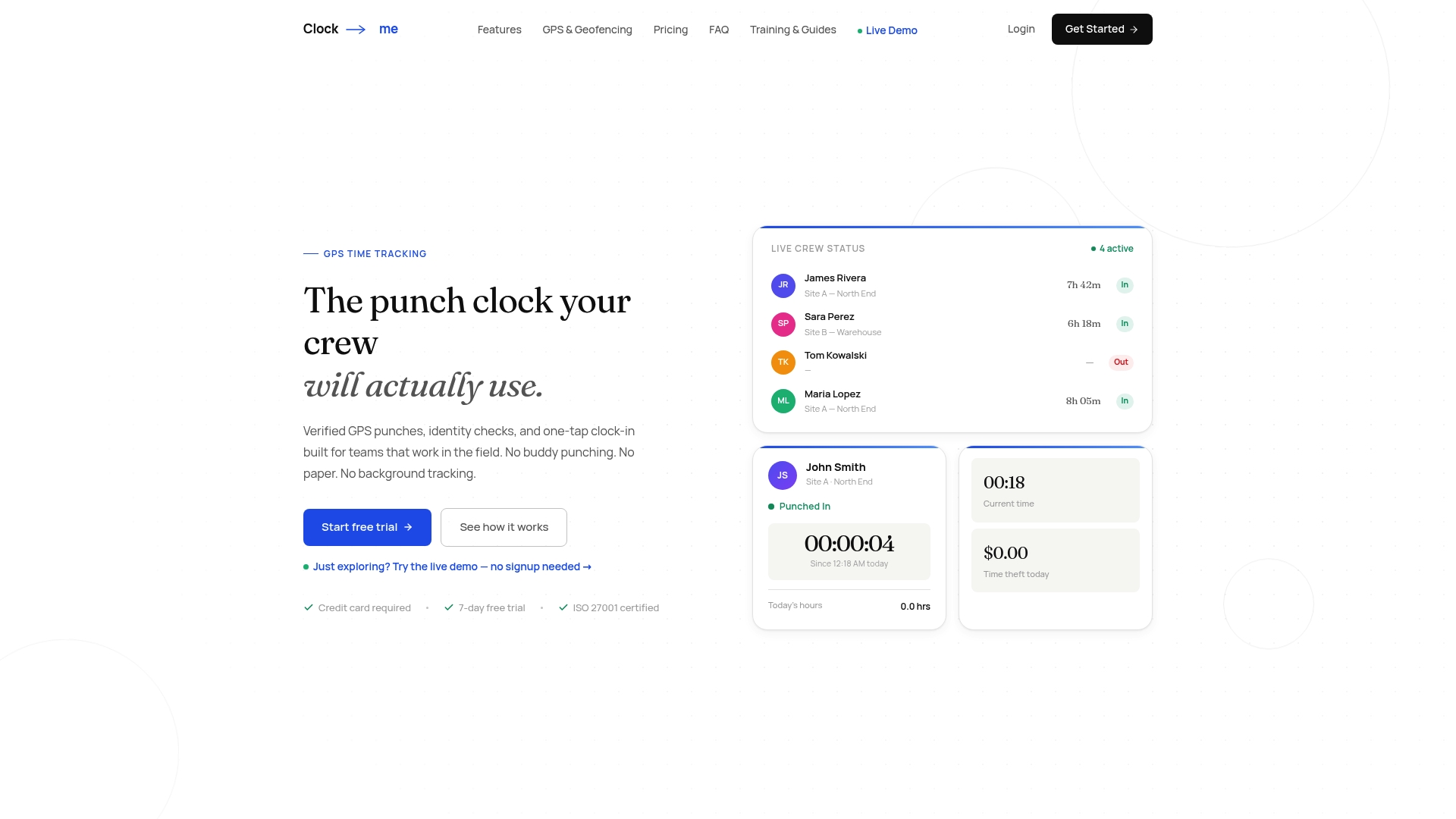
If your team works in the field, this matters more than any dashboard feature. Fewer disputed punches mean faster card-level approvals, cleaner audit trails, and payroll exports you can trust without a second look. Clock-me’s plans range from a Free tier up through Enterprise, so you can start with a small team and scale the same approval structure as you grow. Set up your workflow today through the get-started guide and see how much of your approval backlog was really just missing punches all along.
The core sequence is validate, route, review, approve or reject, lock, and export. Most modern systems automate the validate and route stages, leaving the review and approve decision to a manager.
Your approval period should match your payroll period exactly, whether that’s weekly or biweekly. Missing that window is exactly why calendar-based auto-approval through a processing user exists as a backstop.
Start by defining the workflow and approval matrix in your admin panel, then assign business rules to the correct time recording profile. From there, configure your validate-on trigger, notification templates, and a fallback approver for missing-manager scenarios.
Open your approvals dashboard, filter by status (typically Waiting for approval, Approved, or Rejected), and review flagged exceptions individually before using bulk approval on clean submissions. Platforms like Clock-me pair this with verified GPS data so fewer entries need manual scrutiny in the first place.
The workflow should route to a default admin or escalate automatically rather than leaving the card pending indefinitely, since an unresolved approver gap can block payroll entirely. This is one of the most common configuration gaps teams discover only after it causes a missed payroll run.